Introduction
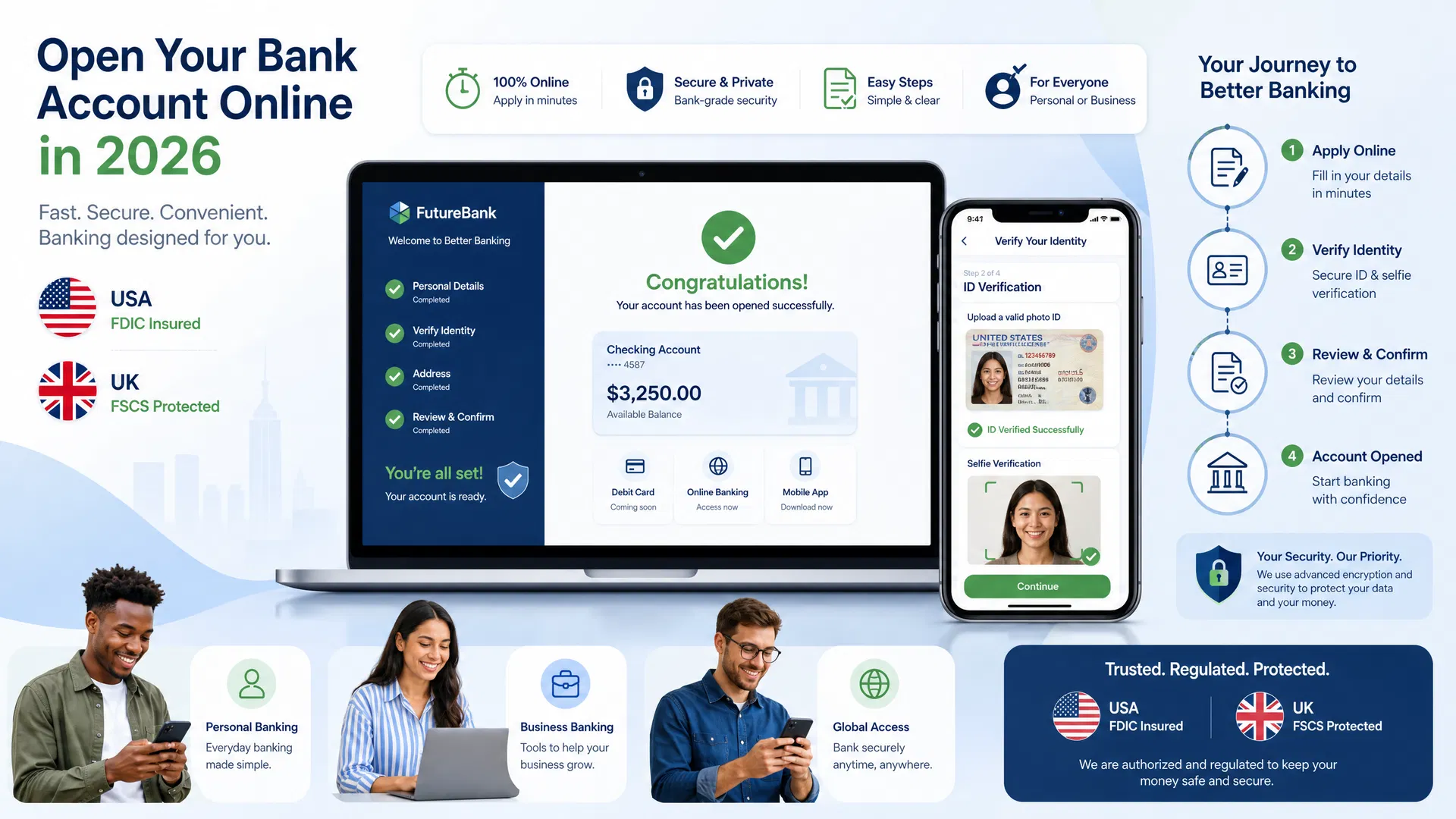
Opening a bank account online has become faster, easier, and more secure than ever before. In 2026, most banks allow you to complete the entire account opening process from your smartphone or computer in just 10-15 minutes. Gone are the days of visiting a physical branch, waiting in line, and dealing with paperwork. Whether you’re in the United States or the United Kingdom, this comprehensive guide will walk you through every step of opening a bank account online.
The process is straightforward, secure, and designed to be user-friendly. Banks use advanced verification methods including document scanning, biometric authentication, and video verification to ensure your identity is protected while making the process quick and convenient. By the end of this guide, you’ll understand exactly what you need, how to prepare, and how to complete your application successfully.
Why Open a Bank Account Online?
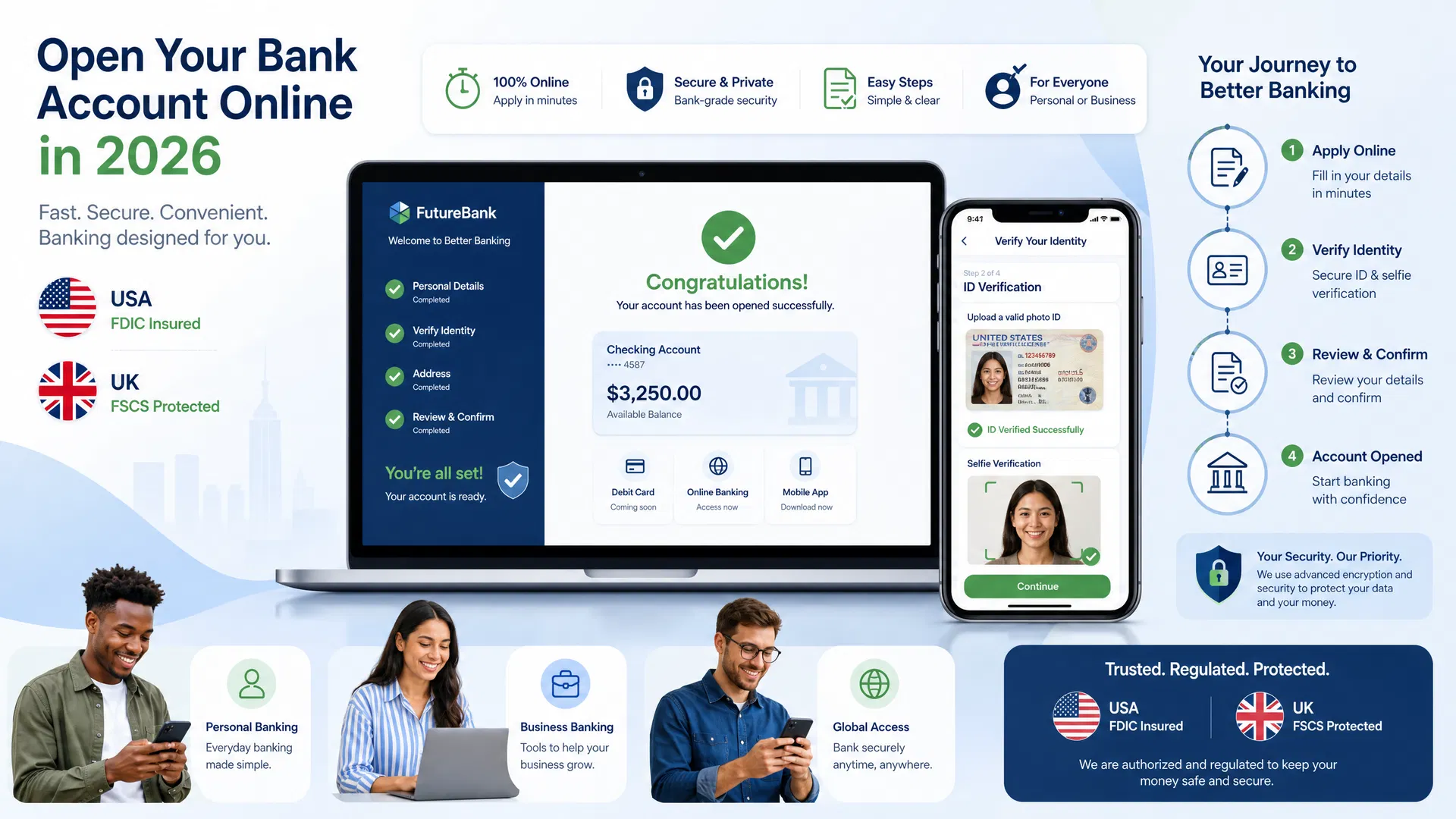
Online banking offers numerous advantages over traditional banking methods. First, it’s incredibly convenient. You can open an account from home at any time, day or night, without scheduling an appointment or visiting a physical branch. Second, online banks typically offer better interest rates and lower fees than traditional banks. Third, the process is faster—most applications are approved within 24 hours. Fourth, you’ll have access to modern banking technology with user-friendly mobile apps and 24/7 customer support.
Step-by-Step Guide: How to Open a Bank Account Online
Step 1: Choose Your Bank
Research and Compare Banks
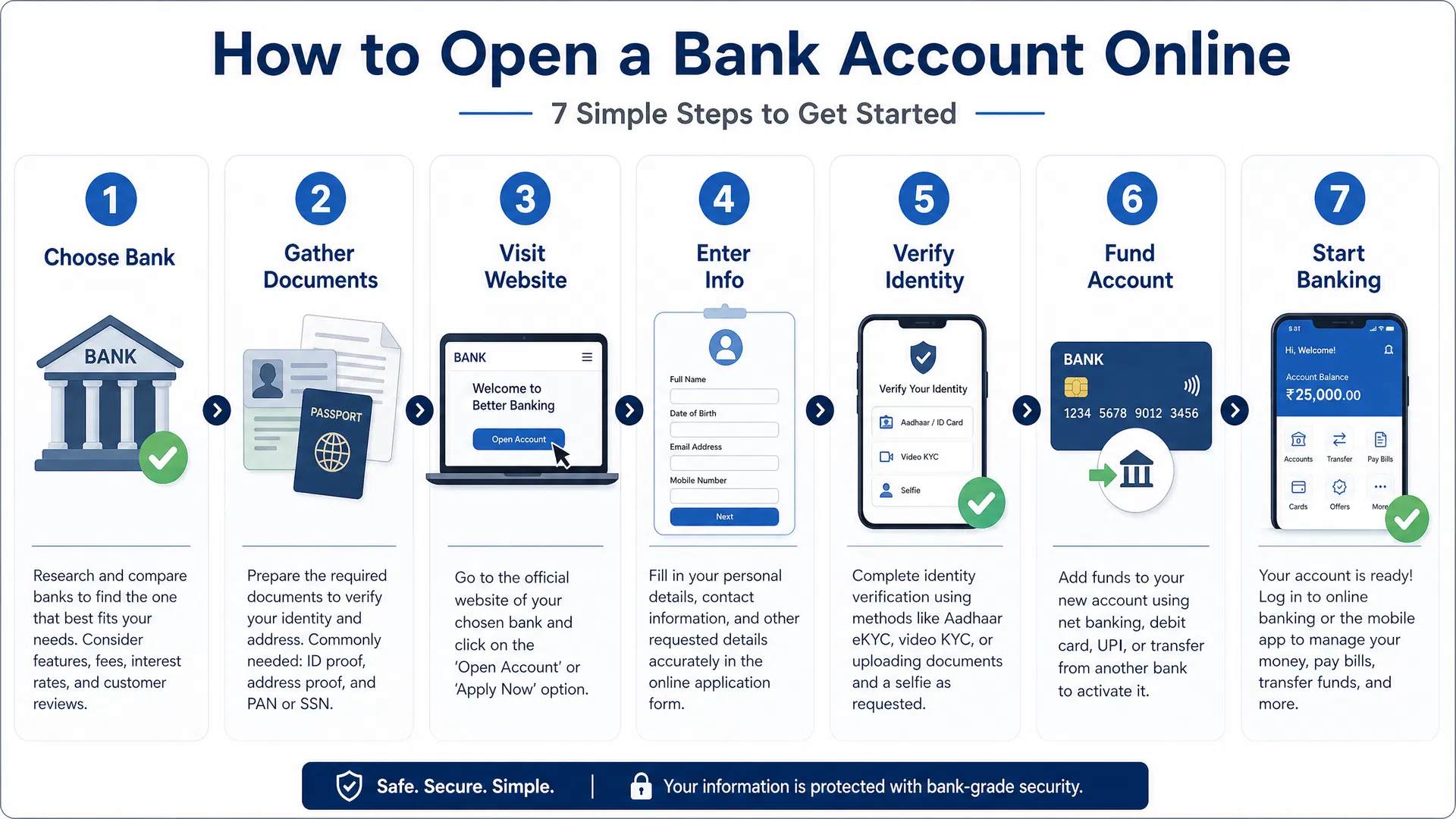
Before opening an account, research different banks to find one that meets your needs. Consider factors such as interest rates, monthly fees, minimum balance requirements, mobile app quality, and customer service ratings. Read reviews on independent websites and compare features across multiple banks. Make a list of your top 3-5 choices and compare them side by side.
Step 2: Gather Required Documents
Prepare Your Documentation
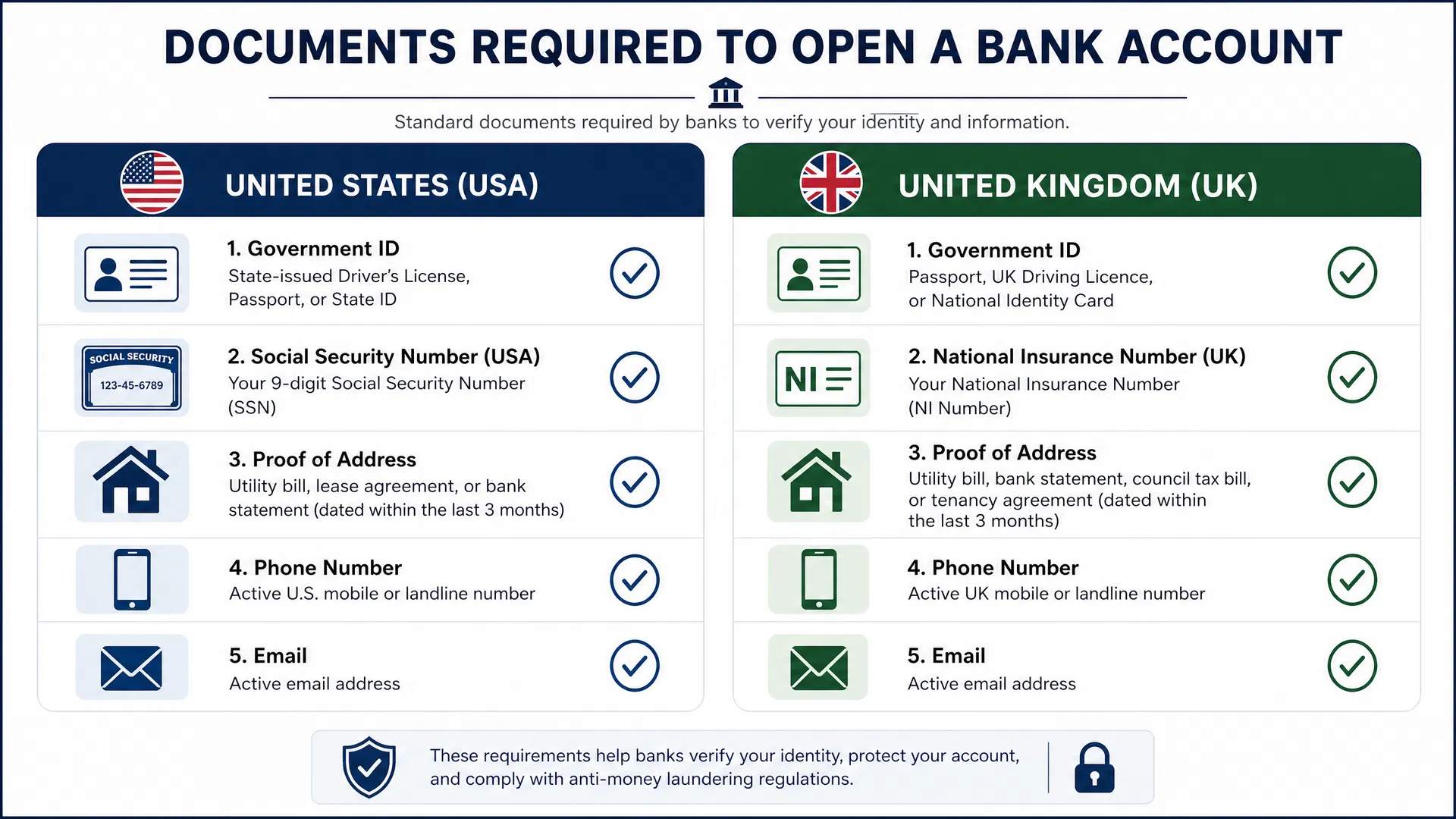
Have the following documents ready before starting your application. For USA residents: government-issued ID (driver’s license, passport, or state ID), Social Security Number, proof of address (utility bill, lease agreement, or bank statement dated within the last 3 months), active phone number, and active email address. For UK residents: government-issued ID (passport, UK driving license, or national identity card), National Insurance Number, proof of address (utility bill, council tax bill, or tenancy agreement dated within the last 3 months), active phone number, and active email address.
Step 3: Visit the Bank’s Website
Navigate to the Application
Go to your chosen bank’s official website and look for the “Open Account” or “Apply Now” button. Make sure you’re on the official website by checking the URL carefully. Most banks have a prominent button on their homepage for new account applications. Click on it to begin the process.
Step 4: Enter Your Personal Information
Fill Out the Application Form
Complete the online application form with accurate information. You’ll typically need to provide: full name, date of birth, email address, phone number, residential address, employment status, and annual income. Take your time and double-check all information for accuracy. Any errors could delay approval or cause issues later.
Step 5: Verify Your Identity
Complete Identity Verification
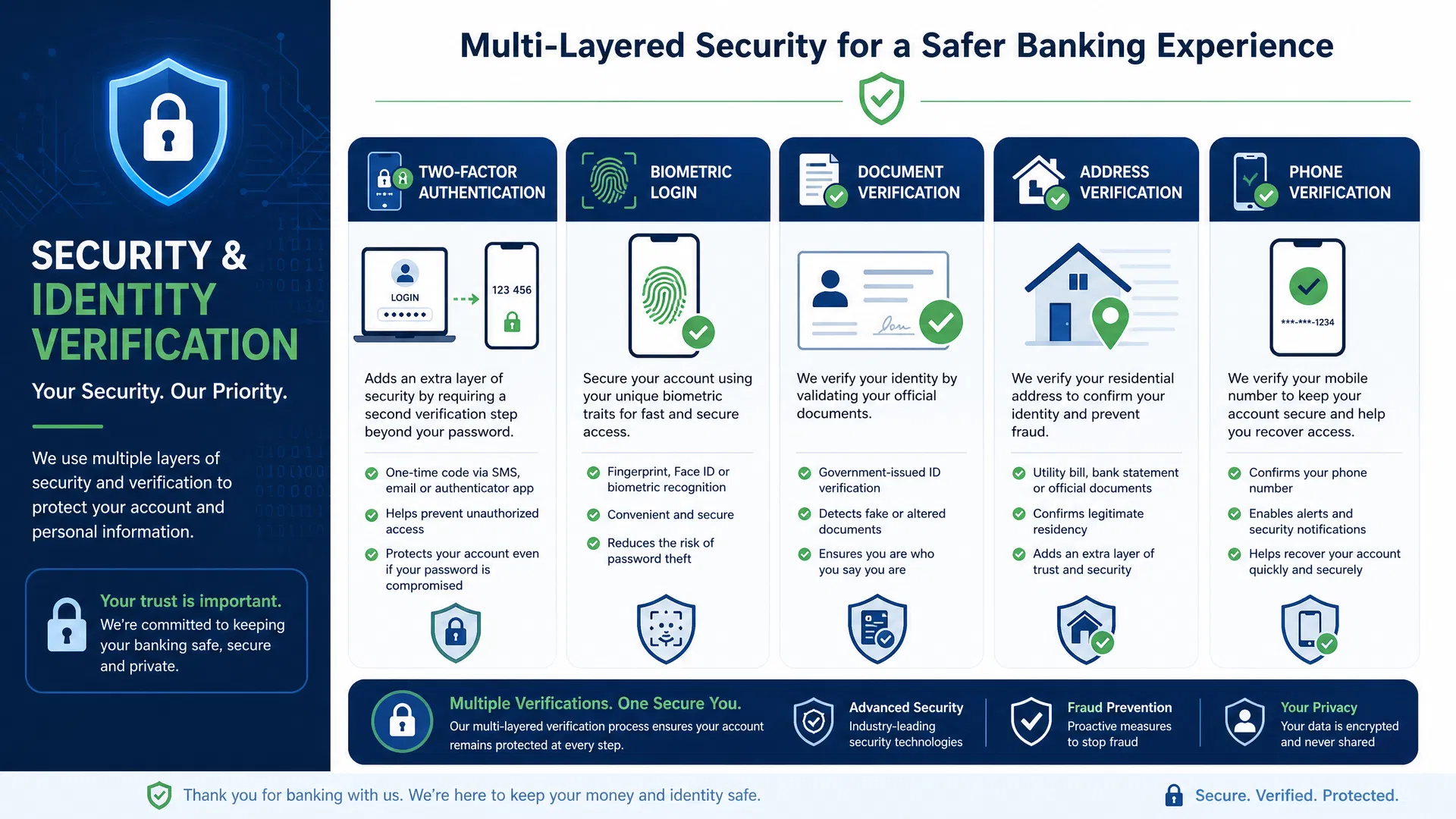
Most banks use one or more of the following verification methods: uploading a clear photo of your government-issued ID, taking a selfie for facial recognition, answering security questions about your financial history, or participating in a video call with a bank representative. Follow the bank’s instructions carefully and ensure your documents are clear and legible. The verification process typically takes 5-10 minutes.
Step 6: Fund Your Account
Make Your Initial Deposit
Once your account is approved, you’ll need to fund it. Most banks allow you to transfer money from an existing bank account using ACH transfer (USA) or bank transfer (UK). Some banks also accept wire transfers or check deposits. The minimum deposit amount varies by bank but is typically between $0 and $500. Follow the bank’s instructions to complete your initial deposit.
Step 7: Start Banking
Access Your New Account
After your account is funded, you can immediately start using it. Download the bank’s mobile app, log in with your credentials, and explore your account. Most banks provide a debit card that arrives within 5-10 business days. In the meantime, you can use your account number for direct deposits, bill payments, and transfers.
Types of Bank Accounts
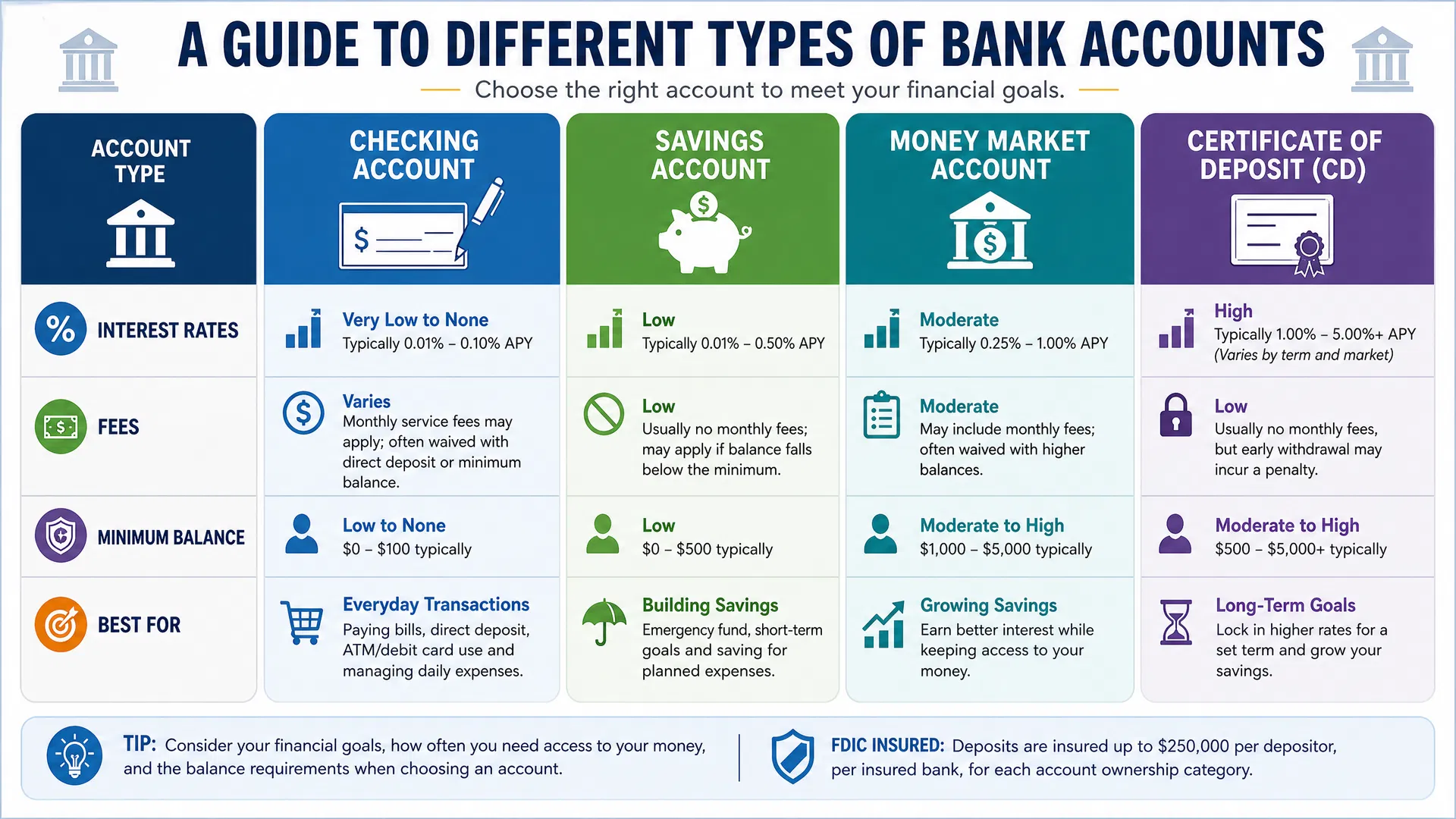
Different account types serve different purposes. A checking account is best for everyday transactions like paying bills and making purchases. A savings account is designed for building savings and earning interest. A money market account offers higher interest rates with check-writing privileges. A Certificate of Deposit (CD) locks your money for a set term in exchange for higher interest rates. Choose the account type that best matches your financial goals.
Documents Required by Country
| USA Requirements | UK Requirements |
|---|---|
| Government ID (Driver’s License, Passport, State ID) | Government ID (Passport, Driving Licence, National ID) |
| Social Security Number (SSN) | National Insurance Number (NI Number) |
| Proof of Address (Utility Bill, Lease, Bank Statement) | Proof of Address (Utility Bill, Council Tax Bill, Tenancy Agreement) |
| Active Phone Number | Active Phone Number |
| Active Email Address | Active Email Address |
Frequently Asked Questions (FAQs)
A: Most online bank accounts can be opened in 10-15 minutes. However, approval can take anywhere from a few minutes to 24 hours depending on the bank’s verification process. Some banks provide instant approval, while others may take up to 2-3 business days.
A: Yes, opening a bank account online is very safe. Banks use advanced encryption, two-factor authentication, and biometric verification to protect your information. All reputable banks are FDIC-insured (USA) or FCA-regulated (UK), meaning your deposits are protected up to $250,000 or £85,000 respectively.
A: Most online banks require no minimum deposit to open an account. However, some banks may require a minimum opening deposit of $25-$500. Check with your chosen bank for their specific requirements.
A: Generally, you need a Social Security Number to open a bank account in the USA. However, some banks accept an ITIN (Individual Taxpayer Identification Number) as an alternative. Contact your chosen bank to ask about their specific requirements.
A: Your debit card will be mailed to your residential address within 5-10 business days. Some banks offer temporary digital card access through their mobile app while you wait for the physical card to arrive.
A: Yes, you can open multiple bank accounts at different banks or even multiple accounts at the same bank. However, keep in mind that FDIC insurance (USA) covers up to $250,000 per depositor per bank, so spreading deposits across multiple banks provides additional protection.
A: If your application is denied, the bank will provide a reason. Common reasons include poor credit history, negative banking history, or incomplete information. You can ask the bank to reconsider or try applying at a different bank that may have less stringent requirements.
A: Yes, you can close your account at any time. Simply contact the bank’s customer service or use their online platform to initiate account closure. Make sure to withdraw all funds and pay any outstanding fees before closing.
People Also Asked Questions
Common Questions People Search For
You can open a bank account online without employment. Banks typically ask about employment status and income for verification purposes, but unemployment doesn’t prevent account opening. You can list your income source as unemployment benefits, disability payments, retirement income, or savings. Be honest about your income level.
Yes, you can open a bank account online with bad credit. Banks don’t typically check your credit score for basic account opening. However, they may check your banking history using ChexSystems or Early Warning Services. If you have a history of overdrafts or fraud, some banks may deny your application.
Minors can open bank accounts, but they typically need a parent or guardian to co-sign. Some banks offer teen accounts specifically designed for younger customers. The parent/guardian will need to provide their identification and sign the application. Contact your bank to ask about their minor account options.
After opening your account, you’ll receive a confirmation email with your account number and login credentials. You can immediately access your account online or through the mobile app. Your debit card will arrive by mail within 5-10 business days. You can start using your account for transfers and bill payments immediately.
Banks use several identity verification methods: uploading a photo of your government-issued ID, taking a selfie for facial recognition, answering security questions, or participating in a video call with a representative. The bank will guide you through their specific verification process during application.
It depends on the bank and your citizenship status. Most banks require you to be a resident of their country. However, some international banks and online-only banks may allow account opening from abroad. Check with your chosen bank about their residency requirements and international account options.
Once your account is open and funded, you can transfer money using several methods: ACH transfers from another bank account (USA), bank transfers (UK), wire transfers, mobile payment apps like Venmo or PayPal, or checks. Your bank will provide instructions for each transfer method through their online platform or mobile app.
In the UK, you’ll need: a government-issued ID (passport, driving licence, or national identity card), your National Insurance Number, proof of address dated within the last 3 months (utility bill, council tax bill, or tenancy agreement), an active phone number, and an active email address.
Tips for a Smooth Account Opening Experience
- Use a clear, well-lit photo when uploading your ID
- Ensure your proof of address document is dated within the required timeframe
- Use the same name on all documents for consistency
- Have a stable internet connection during the verification process
- Complete the application in one sitting to avoid session timeouts
- Keep your login credentials secure in a password manager
- Enable two-factor authentication for added security
- Review all account terms and conditions before confirming
- Set up alerts for account activity
- Download the mobile app immediately after account approval
Security Considerations
When opening a bank account online, security is paramount. Banks use multiple layers of protection including 256-bit SSL encryption, two-factor authentication, biometric verification, and fraud monitoring. Never share your login credentials with anyone, and always access your bank’s website directly rather than through email links. Use a strong, unique password and enable all available security features.
Important Considerations
Conclusion
Opening a bank account online in 2026 is faster, easier, and more secure than ever before. By following this step-by-step guide, gathering the required documents, and choosing a reputable bank, you can have a new account up and running in just 15 minutes. Whether you’re looking for better interest rates, lower fees, or simply greater convenience, online banking offers compelling advantages over traditional banking methods.
Take time to compare different banks, understand their features and fees, and choose the one that best matches your financial goals. Once you’ve opened your account, take advantage of modern banking technology with mobile apps, online bill pay, and 24/7 customer support. Your financial future starts with making smart choices today.



1 comment