
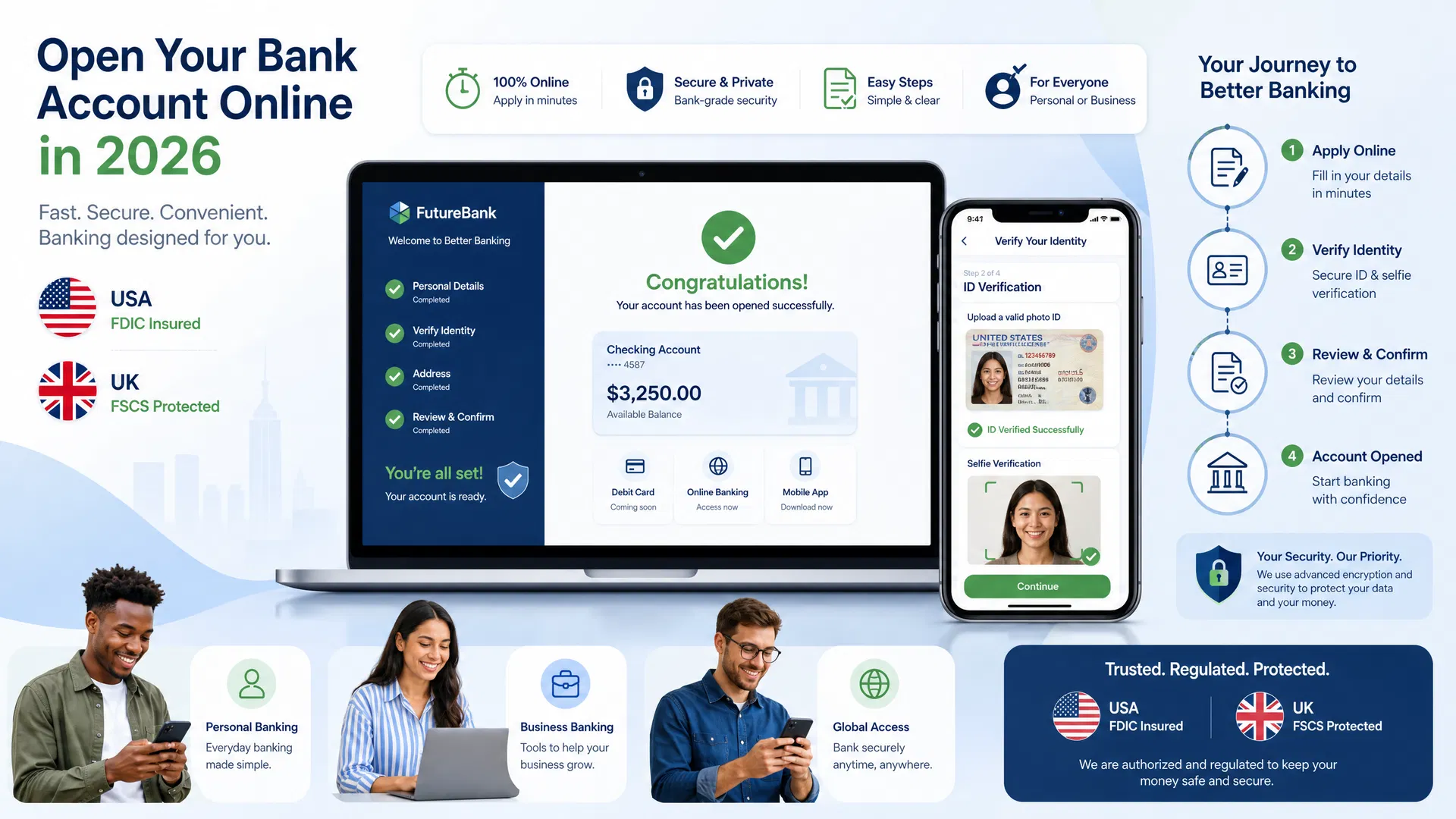
To open a bank account online, you need about ten minutes, a driver’s license, and your phone. That’s genuinely it — no branch visit, no waiting in line, no stack of forms to initial.
I’ve done it three times: twice chasing sign-up bonuses, once because my old bank started charging me a monthly fee for the privilege of holding my money. Every time, the application itself took less time than brewing coffee. What actually trips people up isn’t the form — it’s picking the wrong bank, or getting stuck on identity verification over a blurry ID photo. Here’s how to get it right the first time.

How to Open a Bank Account Online in 5 Steps
Step 1: Pick the right bank (5 minutes of homework)
Don’t just click “open account” at whatever bank you already use. Online banks and fintechs compete hard on fees and interest, and the differences are real money over a year. Decide whether you want checking (everyday spending), savings (parking cash), or both — most of the banks below let you open both in one application. I’ve compared the five names you’ll keep running into in the next section, so skim that before you commit.
Step 2: Gather your documents (2 minutes)
Have these within arm’s reach before you start:
- Government-issued photo ID — driver’s license, state ID, or passport. It must be current, not expired.
- Social Security number. Nearly every online application requires one.
- Email address and mobile phone number you actually use — verification codes go here.
- US residential address. P.O. boxes are usually rejected; use a street address.
- A funding source — your existing bank’s routing and account numbers, or a debit card.
No SSN? You’re not out of options, but the online route gets harder. Some banks accept an ITIN, and several let you apply in person with a passport instead — here’s the full walkthrough for opening an account without an SSN.
Step 3: Fill out the application (10–15 minutes)
Click “Open an Account” on the bank’s real website — type the URL yourself rather than following an email link. You’ll enter your name, date of birth, address, phone, email, and SSN, plus sometimes employment and income details.
The single most useful tip I can give you: enter your name exactly as it appears on your ID. Middle names, suffixes like Jr. or III, hyphens — if it’s on the license, it goes in the form. Mismatches are the most common reason applications get kicked into manual review, and it’s entirely avoidable.
Step 4: Prove you’re you (2–5 minutes)
This is the part that feels futuristic the first time. You’ll photograph your ID and take a selfie, and software matches the two. Some banks add knowledge-based questions — “which of these addresses have you lived at?” — pulled from public records.
Do it in good lighting against a plain dark background, and watch for flash glare on the ID. A blurry photo is the number-one fixable reason this step fails. If it fails twice, stop and retake everything rather than hammering the submit button.
Step 5: Fund the account (1–3 business days to clear)
Once approved, you’ll move money in. The usual options:
- ACH transfer from another bank account — free, takes 1–3 business days to clear.
- Debit card — often instant, but many banks cap it (a few hundred dollars per day is typical).
- Mobile check deposit — snap a photo of a check in the bank’s app.
Most online banks let you open with $0 and fund later, so don’t let a thin wallet stop you from applying. Just know some banks put a hold on your first deposit — that’s normal fraud prevention, not a problem with your application.
Which Online Bank Should You Actually Pick?
Five names dominate this space. Honest snapshot of each:
| Bank | Why people pick it | Watch out for |
|---|---|---|
| Chime | No monthly fees, no minimum balance, early direct deposit (up to 2 days early) | It’s a fintech, not a bank — your money sits with partner banks (FDIC-insured through them). No branches, no paper checks. |
| SoFi | High APY on checking and savings, no account fees, strong app | The top APY tier usually requires direct deposit. Rates change often — check the current number before you apply. |
| Ally Bank | Online-banking veteran, no monthly fees, 24/7 human customer service, savings “buckets” for goals | No physical branches at all. Great if you’re fully comfortable doing everything in the app. |
| Discover Bank | No fees on checking, cashback on debit card purchases, 60,000+ fee-free ATMs | Online only. The debit cashback has a monthly cap, so read the terms. |
| Capital One 360 | No monthly fees or minimums, plus physical Cafés and branches if you ever want one; painless if you already have a Capital One card | Savings APY is often lower than SoFi or Ally. Fine for checking, less exciting for savings. |
My rule of thumb: if you want the highest yield on savings, SoFi or Ally. If you want dead-simple free checking, Chime or Discover. If you want a branch to walk into once a year, Capital One 360. And whatever APY or bonus a bank advertises today — verify it on their site before applying. These numbers move constantly, and a review quoting last year’s rate is how people get disappointed.
How Long Does It Actually Take?
- The application: 10–15 minutes.
- Approval: often instant. Manual review takes 1–2 business days.
- Online banking access: immediately after approval.
- First deposit clearing: 1–3 business days via ACH.
- Debit card in your mailbox: 5–10 business days. Some banks give you a virtual card in the app right away.

When Your Application Gets Stuck
Most applications sail through. When they don’t, it’s almost always one of these:
1. Your name or address doesn’t match your ID. Fix: re-enter everything exactly as printed on your license — including middle names and suffixes. This alone resolves a huge share of “pending review” cases.
2. The ID photo is blurry or glaring. Fix: retake it in daylight against a dark background, no flash. If it fails twice, redo the whole verification step fresh instead of submitting the same bad photo again.
3. The bank wants a human to look at it. Fix: wait. Manual review normally takes 1–2 business days, then you’ll get an email. Don’t submit four more applications in the meantime — a pile of applications in one week can look suspicious and make things worse.
4. You’re denied over banking history. Most banks check ChexSystems, the reporting agency for bank accounts — old unpaid overdrafts or accounts closed “for cause” can trigger a denial even with a perfect credit score. Fix: ask the bank for the specific reason (they have to tell you), then look at second-chance checking accounts or local credit unions, which are far more forgiving.
5. You don’t have an SSN. Fix: most online forms require one, but you still have paths — an ITIN works at several banks, and others let you open in person with a passport. This guide covers the no-SSN route step by step.
6. You’re under 18. Fix: you’ll need a parent or guardian as a joint owner. Teen accounts like Capital One’s MONEY account are built for exactly this and take the same ten minutes.
Is It Safe to Open a Bank Account Online?
Yes — with one condition: the bank must be FDIC-insured. That insurance protects your deposits up to $250,000 per depositor, per bank, whether the bank has marble columns or exists only as an app. Before you apply anywhere, confirm FDIC membership on the FDIC’s official site.
One nuance worth knowing: fintechs like Chime aren’t banks themselves. Your money is held by their partner banks and insured through them — still protected, but it’s good to know who actually holds your cash. If you want the full picture of how that protection works, here’s our plain-English guide to FDIC insurance.
And the boring-but-real security basics: apply on the bank’s actual website (type the address yourself), use a strong unique password, and turn on two-factor authentication the day your account opens.
Quick Answers
Can I open a bank account online without an SSN?
Most online applications require one. Without it, your best options are banks that accept an ITIN or in-person applications with a passport — we cover that route in detail here.
Do I need money to open the account?
Usually $0. Chime, SoFi, Ally, Discover, and Capital One 360 all let you open with no minimum deposit — you fund the account after approval.
How old do I have to be?
18 in most states. Under 18, a parent or guardian signs on as joint owner; teen accounts are designed for this and take the same ten minutes.
Is my money safe at an online-only bank?
If it’s FDIC-insured, yes — the same $250,000 protection as a traditional bank. Always verify FDIC membership before applying.
Disclaimer: This article is for general educational purposes only and is not financial advice. Bank policies, rates, fees, and requirements change — always confirm current terms directly with the bank before applying.




8 comments